Importing your design
Step-by-step walkthrough of Kerf → Import design: pre-flight checks, multi-page roles, dry runs, and reading the fidelity report.
Importing a design in Kerf takes one screen and a few seconds. Open Kerf → Import design in your WordPress admin to begin.
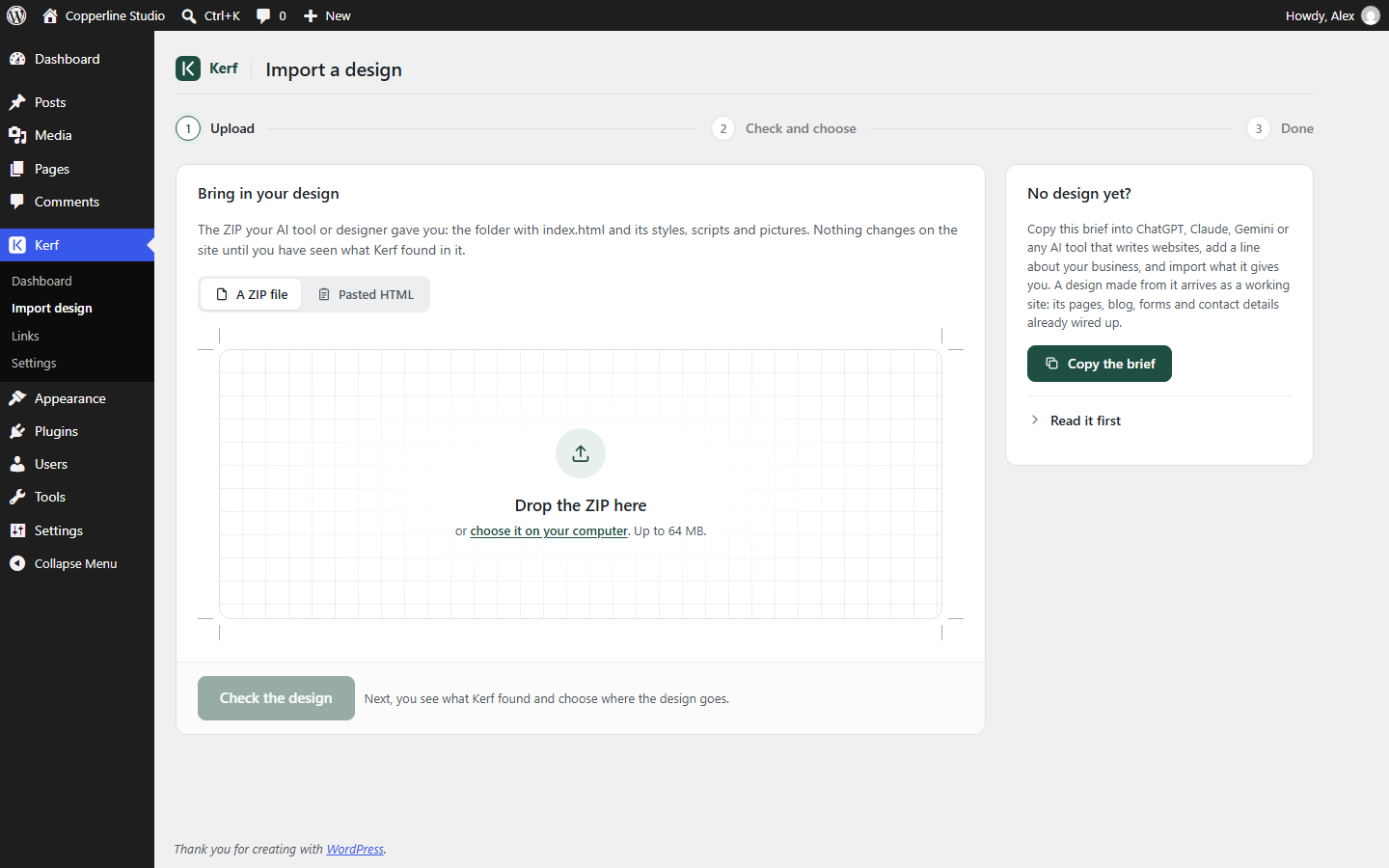
1. Upload a ZIP or paste HTML
Drag your .zip archive onto the drop zone (or switch to Paste HTML for a single page). Choose your import scope:
- Whole site (default): Splits
index.htmlinto your site’s shared Header, Footer, and Front Page, registers site-wide stylesheets and scripts, and imports additional HTML files as pages or theme templates. - A page of its own: Imports the design as a standalone WordPress page with its own isolated header, footer, stylesheets, and scripts—without touching the rest of your site. Ideal for campaign landing pages.
2. Review the pre-import check
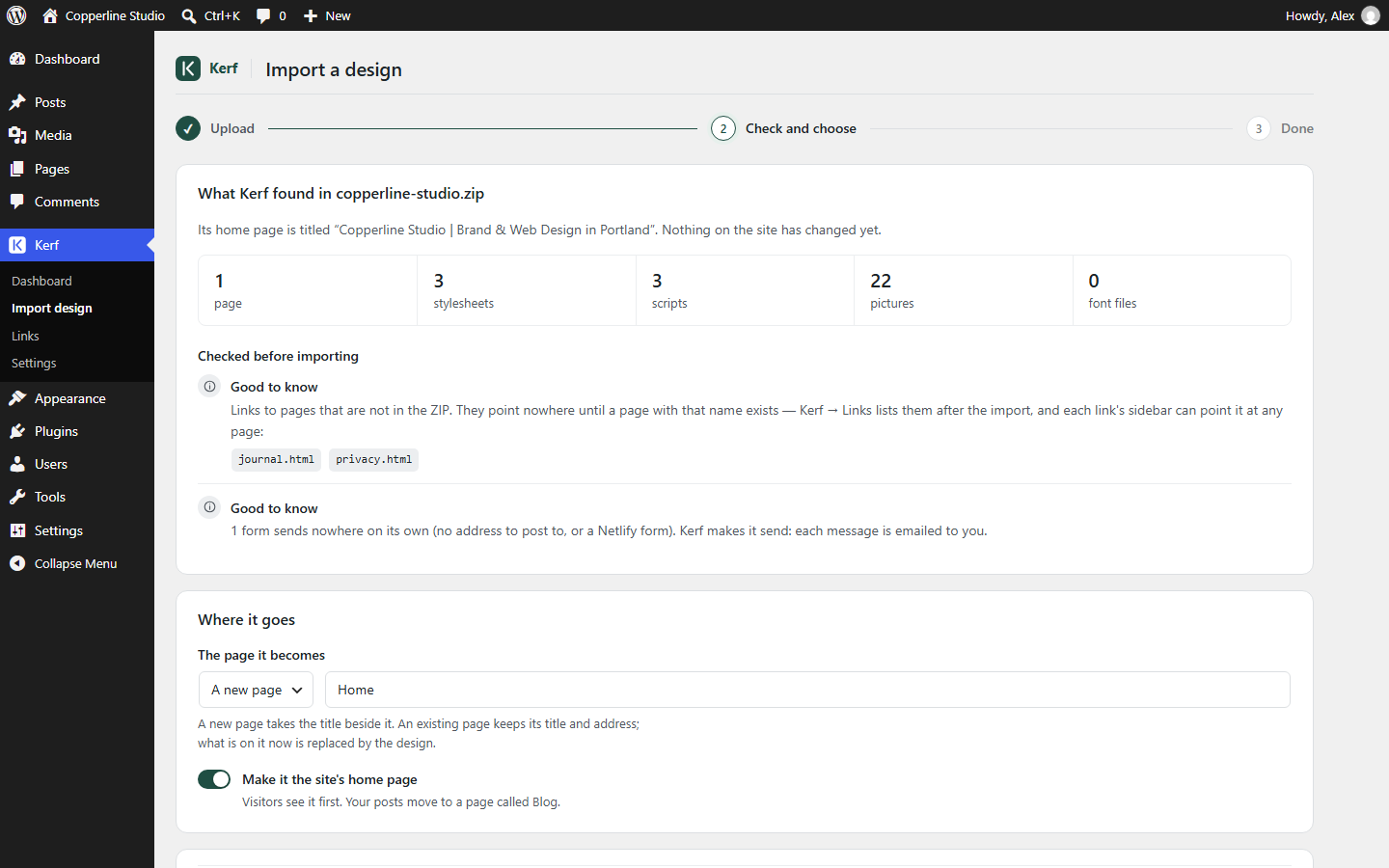
Before writing anything to your database, Kerf inspects the archive and presents a clear pre-flight summary:
- How many HTML pages, stylesheets, scripts, and images were found.
- Whether any referenced local images or assets are missing from the ZIP.
- Whether any inner pages look like Blog, Single Post, Archive, Search, or 404 templates.
3. Confirm pages, templates & site details
On the check screen you can:
- Assign each extra HTML file in the ZIP as a normal Page, a Template (Blog index, Single post, Archive, Search, 404), or Skip it.
- Click Mark it with AI (if a Gemini API key is configured) to automatically mark static blog/post templates so they display real WordPress posts, comments, categories, and pagination.
- Confirm detected Site details (business name, phone, email, address, hours) so you can update them site-wide later.
- Run a Dry run to test the conversion without saving, or click Import design to go live.
4. Read the fidelity report
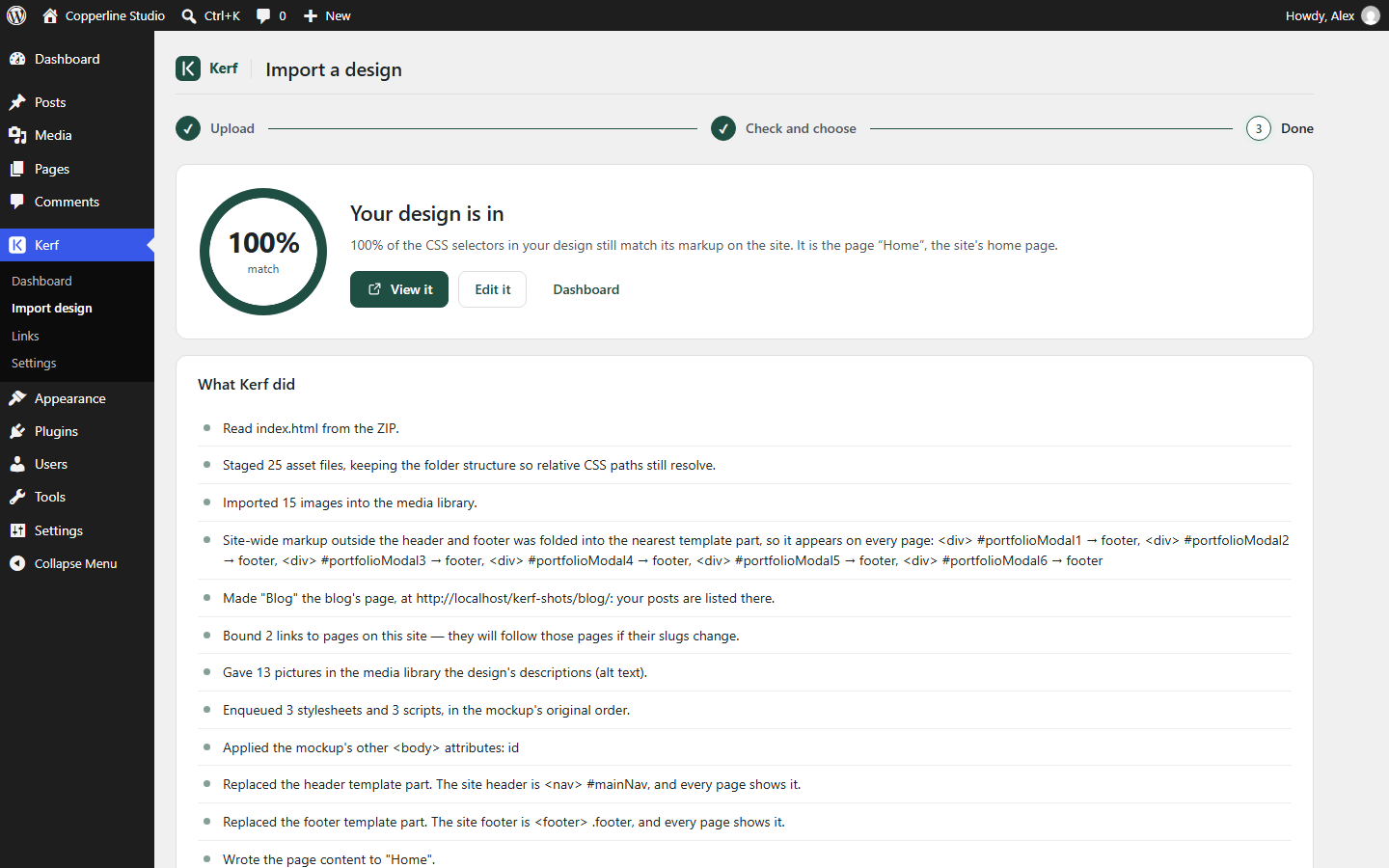
As soon as the import finishes, Kerf displays the Fidelity Report:
- Selector match score: Kerf walks every rule in your stylesheets and verifies whether the selector still matches the converted WordPress DOM (typically 100%).
- Asset & Media inventory: Lists every staged CSS/JS file and every image added to the WordPress Media Library.
- Home page measurement: Automatically measures your home page’s fonts, colors, and spacing in the background so undrawn inner pages inherit your design’s look.